Help Center
This help will guide you through the setup and usage of our point of sale cash register software.
Search by keyword in the help section:
Connect ChatGPT with Kash.click
Kash.click GPT Assistant
This module allows you to connect ChatGPT to your point-of-sale software, giving ChatGPT access to your sales data, as well as all other data, and the ability to record sales in the software.
This module is currently in beta. Use with caution.
The simplest method is to use our GPT, although connecting to the MCP server allows for more features.
GPT assistant Kash.clickMCP Server Connection
This module requires a ChatGPT 'Workspace' subscription to function.
Install
In ChatGPT, using a Workspace, go to Settings, Connectors, and then add a new connector with the following settings:
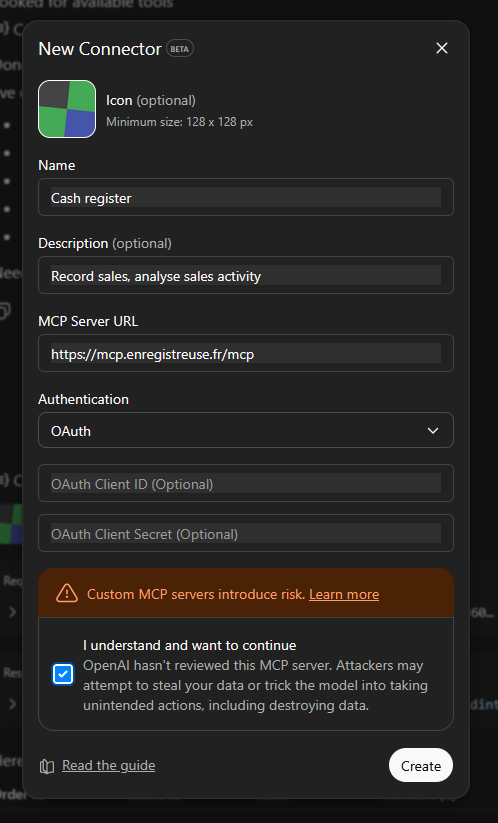
| Variable | Value |
|---|---|
| Name | Cash register |
| Description | Can record sales and view reports |
| MCP Server URL | https://mcp.kash.click/mcp |
| Authentication | oAuth |
Demo video
See also :
Serveur MCP Sign up now This document is made available under the terms of the licence Creative Commons Attribution 4.0 International (CC BY 4.0) .